8 min read
Oct 27, 2026
Your first BFCM can be quite crowded. The big brands are going to be running big discounts and big ad spends. You need a much simpler plan if you’re a small store.
Bundles give you that plan. This guide shows you how to build your very first bundle from data you already have. It covers the sale date, the discount, the stock and the follow up. A short BFCM strategy beats a long one you can’t get through.
Key Takeaways
New store owners will often ask what is bfcm. The bfcm stands for Black Friday and Cyber Monday. In 2026 Black Friday is the 27th of November and Cyber Monday the 30th of November.
Shoppers are looking around at all the stores this weekend for deals. Search interest in Black Friday/Cyber Monday deals is going up in the weeks leading up to it. A small store can get in on it without having to spend a fortune.
Your Shopify Black Friday plan doesn’t need loads of offers. One clear offer is all that’s required to get the customer to make a decision.
Product bundling enables you to offer a deal without reducing the price of any individual item. The customer is buying a number of items at once. You’re increasing the value of the order and moving stock together.
A small store has far less to keep track of so a bundle is easy to follow. You can see every sale and every unit remaining.


You don’t need any new research at all. Your order history will tell you exactly what customers like.
A fixed bundle gives the customer a group of items at one price. A Shopify mix and match bundle allows the customer to select the items from a list.
For a first launch go with a fixed bundle. There are fewer options and fewer places for error. If you want more choice then have a go at a ‘build your own’ bundle with a very short list of items.

A discount gets attention. It also eats into your profit. You need to set it with care.
Start with your product costs. Work out the cost per unit for each item (including packing and shipping). Then set your bundle price so that you’re left with a good margin.
For instance two items at $25 and $15 would sell for $40 individually. A 10% bundle discount would bring that down to $36. You’d need to check that $36 still covers cost and leaves you with a profit.
Keep the discount low. A clear saving of 10% to 15% is usually going to feel like a good deal. Go for the lowest figure that still comes across as being a value.
Count the units you can spare. Good inventory tracking will tell you how many bundles you can sell. Take the stock of each component and divide it by the number used in one bundle. The lowest number is your limit.
Check the stock levels each week prior to launch. Order further quantities if demand appears to be good.
Set a cap on the number of bundles. A bundle that’s sold out is better than a promise you can’t keep.
A good bundle will still fail if the shopper can’t find it. You have to put it where they’ll see it first.
Most people will be using their phones. Test mobile checkout yourself prior to launch. Add the bundle, enter the details and pay with a real card.
Check the mobile UX on a small screen. Buttons need to be large. Text needs to be readable. Check the checkout experience by asking a friend to go ahead and buy the bundle and then telling you where they got stuck.
Make product availability very clear. If someone adds an item to their basket and then sees “sold out” they’re going to walk away. Ensure that any automatic discounts are applied just once (i.e. they don’t require a separate code).
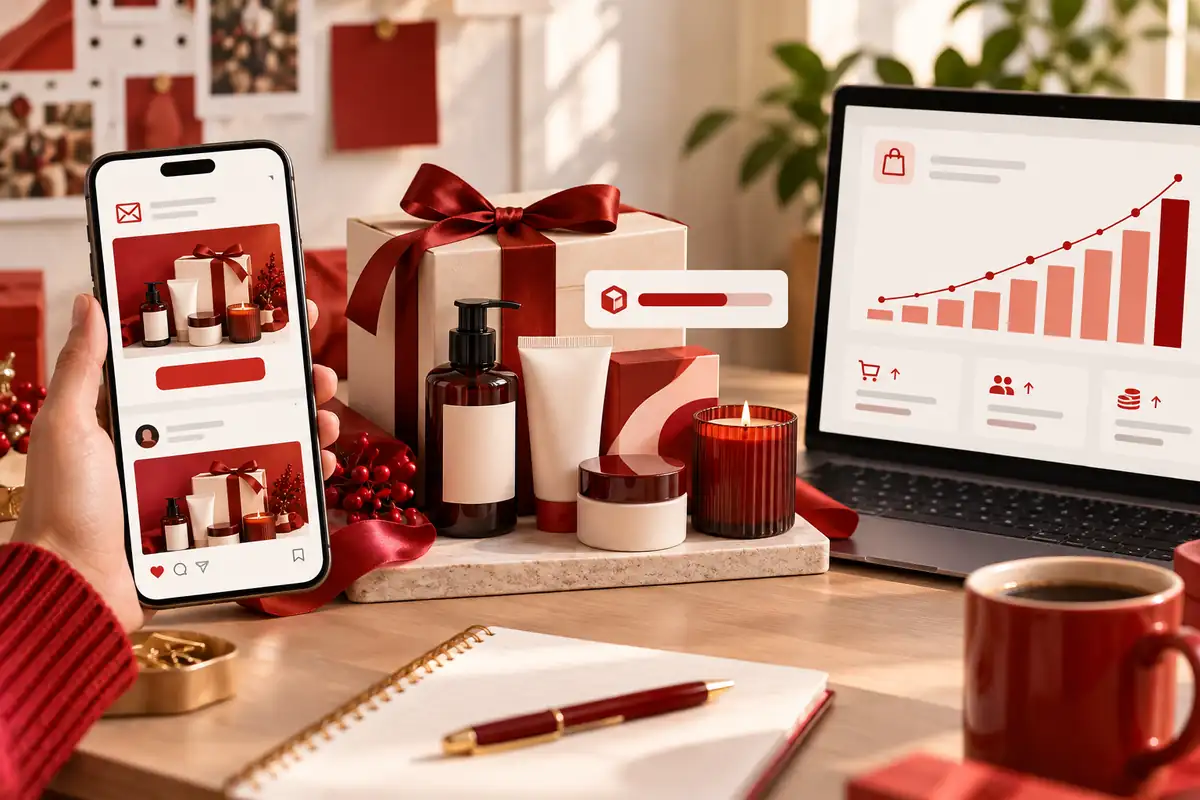
Promotion doesn’t need a big budget at all. Use the channels you already have.
Goals are best when you set them early. Work out how many bundles you want to sell and what order value you’re after. Check your progress each morning and tweak your emails accordingly if sales are slowing.
If one bundle sells out early then swap it in for a similar product and update the page.

A bundle tool saves a huge amount of manual work. BundleSuite is an app which enables Shopify stores to create and manage bundles in one place. Just follow the steps above and then use the app to set it up.
Build your BFCM strategy around one bundle first. Add the rest in after the sale when you have the data.
Use a Shopify Bundle Builder to create either fixed bundles or mix and match bundles. Pick your products, set your price and publish. Compare the options before you commit. If you’re a store looking for a Shopify bundle app then you should look at the different formats, the pricing and the reporting.
Turn on inventory sync so that stock is updated after every sale. Real time inventory sync means a bundle won’t show as available if one of its components is out of stock.
After the sale, go into the app’s bundle reports to see which bundles sold, what customers bought and where stock ran out. Take those lessons and use them to plan your next offer. Make sure you know exactly what reports are included in your plan before you go on to use them.
Keep your BFCM strategy notes in one document. The next year you’ll be starting with real data.
Your first BFCM doesn’t have to be big. Pick one bundle, price it thoughtfully, check your stock and promote it through your existing channels. Just track what happens and learn from it.
Start off by identifying your top seller and one other item that works with it. Build the bundle, test it on mobile and then set your launch date.
BundleSuite is your Shopify-ready bundle builder app for high-converting bundles—BYOB, Mix & Match, Volume Discounts, Kits, Combos, you name it.
Built for merchants who want control, flexibility, and results. BundleSuite is your Shopify-ready bundle builder app for high-converting bundles—BYOB, Mix & Match, Volume Discounts, Kits, Combos, you name it. Built for merchants who want control, flexibility, and results.
BundleSuite is your Shopify-ready bundle builder app for high-converting bundles—BYOB, Mix & Match, Volume Discounts, Kits, Combos, you name it. Built for merchants who want control, flexibility, and results.
BFCM is Black Friday and Cyber Monday. The two days are at the end of November.
Start with one. Add more as you have data and trust in your stock and checkout.
Use your top seller. Add one or two items that customers often buy with it.
Offer enough to feel like a deal, such as 10% to 15%. Check that profit per bundle stays healthy.
Count component stock, divide by units per bundle, and cap the number of bundles. Use stock sync if you can.
Track bundle orders, average order value, and remaining stock. Review them each morning.
Most stores benefit from one. An app handles pricing, stock sync, and reporting in one place.
Your email address will not be published. Required fields are marked*