Most Shopify merchants who haven’t set up bundles yet aren’t waiting because they don’t see the value. They’re waiting because they assume it requires a developer, custom Liquid code, or some complicated SKU architecture that’ll break their inventory the moment something sells out. None of that is true anymore.
How to bundle products on Shopify is now a question with a straightforward answer — and the answer doesn’t involve touching a single line of code. In this guide, I’ll show you everything you’ll need to do to have a fully functioning bundle live on your store including but not limited to establishing why going no-code is relevant, choosing your correct bundling app for Shopify bundling app for Shopify, configuring bundling types, creating discount rules that work, and launching and optimizing your Shopify bundle products page – so that they convert. You will either have a live bundle at the end of this process or if you don’t – you will know why you don’t.
6 things worth knowing before you keep reading:
- How to create product bundles on Shopify without an app is technically possible but operationally painful — inventory tracking alone makes it not worth it for most stores.
- The best Shopify bundle apps handle discount logic, inventory sync, and the customer-facing builder in one place — no workarounds required.
- Bundle discount Shopify configurations that show savings dynamically (updating as the customer builds) convert significantly better than static discount displays.
- Custom bundle Shopify setups don’t require custom development — most app-based builders support enough configuration to feel bespoke without any code.
- A Shopify bundle builder page that’s poorly designed will underperform even a well-structured bundle — the UI is part of the product.
- Unlimited bundles and discounts Shopify support is a feature worth checking for before committing to any bundle app — some cap bundle count on lower tiers.
Why No-Code Bundling Matters
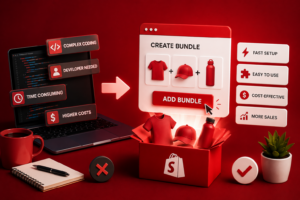
The old answer to how to create a bundle product on Shopify was: hire a developer, create a custom product type, write logic to link variant inventory, and hope nothing breaks during a flash sale. That process cost time, money, and ongoing maintenance overhead every time a product changed price or went out of stock.
By taking away these entire tasks from the merchant, a no-code solution simplifies the experience of a merchant who wants to create a bundle app using a properly built Shopify bundles app. Development used to be required for: Selecting which SKUs are part of the bundle; Calculating the discount for the bundle; De-duping inventory across SKUs that are part of the bundle; Processing and fulfilling each SKU purchased in a bundle.
How to bundle products in Shopify without code also means iteration is fast. You can test a new bundle combination in an afternoon, see whether it’s lifting AOV within a week, and retire it or build on it without a developer ticket. That speed matters for merchants who want to run seasonal bundles, test new product combinations, or respond to what Shopify analytics is showing them about customer purchase patterns. The question is there a Shopify app for bundling products — the answer is yes, and the better question is which one fits your catalog structure and bundle strategy.
Step 1: Install a Bundle App
What is the best bundle app for Shopify is a question with a few legitimate answers depending on what you need. Here’s how to evaluate the options without getting lost in app store marketing copy:
What to look for in a Shopify bundle app:
- Inventory sync accuracy: When a product inside a bundle sells out, the bundle should become unavailable or update automatically. Apps that don’t handle this create oversell situations that are painful to unwind. Check reviews specifically for inventory-related complaints before installing. Bundle type flexibility. A product bundle app Shopify that only supports fixed bundles isn’t useful if you need mix and match. Confirm the app supports the bundle formats you actually plan to use: fixed sets, mix and match, quantity breaks, or kit builders.
- Discount configuration: Bundle discount Shopify logic varies significantly between apps. Some only support flat percentage discounts. Others support tiered pricing, fixed bundle prices, and “buy X get Y” structures. Know what discount format your strategy requires before you commit to an app.
- Shopify bundle products page quality: Some apps generate bundle pages that look bolted-on — inconsistent with your theme, slow to load, clunky on mobile. Ask for a demo or check live store examples before installing.
Free bundle app Shopify options exist but typically cap bundle count, bundle types, or discount configurations. For a serious bundling strategy, the paid tier of a strong app is almost always worth it. Best Shopify bundle apps in the paid tier typically run £15–£30/month — a single incremental bundle sale per day justifies that spend. BundleSuite covers all of the above: inventory sync, multiple bundle types, flexible discount logic, and a Shopify bundle builder interface that works within your existing theme. Install it from the Shopify App Store, connect it to your store, and you’re ready for Step 2.
Once the app is installed, the first real decision is bundle structure. This is where most merchants spend the most time — and where the most value is created or lost.
- Fixed bundle (create bundle Shopify): A fixed bundle offers a predetermined package of products that are presented to the customer as a single purchase. The customer does not purchase the separate components of the bundle; they purchase the entire bundle as it was defined by the seller. Use this type of bundle when you are selling preselected collections that are valued based on their made-up of components — like skincare regimens, starter kits, or seasonally themed gift boxes. To build a bundle Shopify in fixed format: select the anchor product, add the complementary products, set the bundle name and image, configure the price. The app handles the rest.
- Mix and Match (custom bundle Shopify): The customer selects components from a defined pool. You set the rules: pick any 4 from this collection, or choose one from each of three categories. The app handles the selection UI and the discount trigger when the minimum quantity is met. Custom bundle Shopify configurations here can include product restrictions (certain items excluded from bundling), quantity limits per product, and category-level minimums or maximums. The more specific your rules, the more controlled the customer experience — but don’t over-constrain. A mix and match bundle with too many rules starts to feel like a form, not a shopping experience.
- Quantity breaks (build a bundle Shopify): Buy 3 for 10% off, buy 6 for 15% off. This is technically a bundle format even though it doesn’t always get labeled that way. Works best in single-product or same-product-multiple-variant categories: supplements, candles, socks, coffee pods.
- Kit builder: A structured bundle with fixed components and customer-chosen elements. A gift hamper with a fixed box and tissue paper but customer-selected products inside. Requires slightly more configuration but produces some of the highest-converting bundle experiences because it combines curation with personalization.
Step 3: Set Discount and Pricing
Bundle price Shopify configuration is where the economics of bundling get decided. Get it wrong and you’re either leaving money on the table or offering a discount that erodes margin without meaningfully improving conversion.
Shopify bundle discount formats to consider:
- Percentage off the bundle total: The most common format. “Save 15% when you buy the set.” Clean, easy to communicate, works across most bundle types. The risk is that percentage discounts feel arbitrary unless anchored to individual product prices — show the “worth £X” figure alongside the bundle price.
- Fixed bundle price: The bundle has its own price, independent of the sum of individual products. This is cleaner for curated kits where you don’t want customers doing the mental arithmetic. “The Morning Routine Kit — £65” rather than “£65 instead of £82.” Works best for gift-oriented bundles where the customer isn’t in comparison mode.
- Tiered discounts (unlimited bundles and discounts Shopify): Buy 2, save 10%. Buy 4, save 15%. Buy 6, save 20%. Progressively better savings for larger quantities. This is the format with the strongest upward pressure on AOV — customers who are at the 2-item tier will frequently add a third to reach the next discount level. Unlimited bundles and discounts Shopify support means you can run multiple tiered structures simultaneously across different product ranges.
How to create bundles on Shopify without an app and apply discounts manually — usually through discount codes — is technically an option but creates a broken experience.
The discount isn’t automatic, the customer has to remember the code, and there’s no dynamic feedback showing them how close they are to the next tier. App-based discount logic removes all of that friction. Bundle discount Shopify settings in BundleSuite are configured at the bundle level, not the product level — which keeps your individual product pricing clean and your discount reporting accurate.
Step 4: Publish and Optimise
Shopify bundle products page quality directly affects conversion. A bundle that’s well-structured and well-priced but poorly presented will still underperform.
Shopify product page bundle setup checklist:
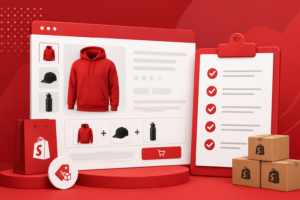
- Images show the bundle, not just individual products: A lifestyle image of the complete bundle — all products together, in use — outperforms a grid of individual product thumbnails. If you don’t have a bundle-specific image yet, a clean flat-lay of the components together is a quick fix.
- The saving is visible immediately: Don’t make customers calculate whether the bundle is worth it. Show the individual prices, the bundle price, and the saving in the same place. Bundle discount Shopify presentation that requires mental math loses customers who would have converted if the value was obvious.
- Shopify add bundle to product page: For fixed bundles, adding a bundle purchase option directly to the individual product pages — “buy this as part of the complete kit and save 15%” — captures customers who came in on a single product and would have left without knowing the bundle existed. BundleSuite supports this as a widget that embeds within your existing product page template.
- Mobile layout: Check the Shopify bundle builder interface on a real phone, not just a browser preview. Tap targets, image sizing, and the add/remove interaction all behave differently on mobile. Most bundle conversion problems on mobile come down to a UI that was designed on desktop and never tested properly on a small screen.
- Test the full purchase flow: Add the bundle to cart, go through checkout, and check the confirmation email. Confirm that the discount applied correctly, that individual product names appear in the order confirmation (not just a generic bundle SKU), and that inventory deducted accurately for each component.
- Optimize based on data: After two weeks, look at three numbers: bundle page views, bundle add-to-cart rate, and bundle checkout completion rate. A high view count with a low add-to-cart rate is a presentation problem. A high add-to-cart rate with low checkout completion is a pricing or trust problem. Each diagnosis points to a different fix.
Conclusion
How to bundle products on Shopify without coding is a solved problem. The Shopify bundle app ecosystem has matured enough that the full setup — install, configure bundle types, set discount logic, publish a Shopify product page bundle — is a day’s work for most merchants, not a development project.
The strategic questions — which products to bundle, what discount structure to use, how to frame the saving — are where the real decisions live.
The technical ones are handled by the right app. BundleSuite covers the full stack: fixed bundles, mix and match, kit builders, tiered discounts, and a Shopify bundle products page experience that works across devices without touching your theme code. If you’ve been putting bundling off because the setup seemed complicated, it isn’t anymore.
Ready to set up your first bundle? BundleSuite is available on the Shopify App Store — install it, follow the four steps above, and your first bundle can be live today.